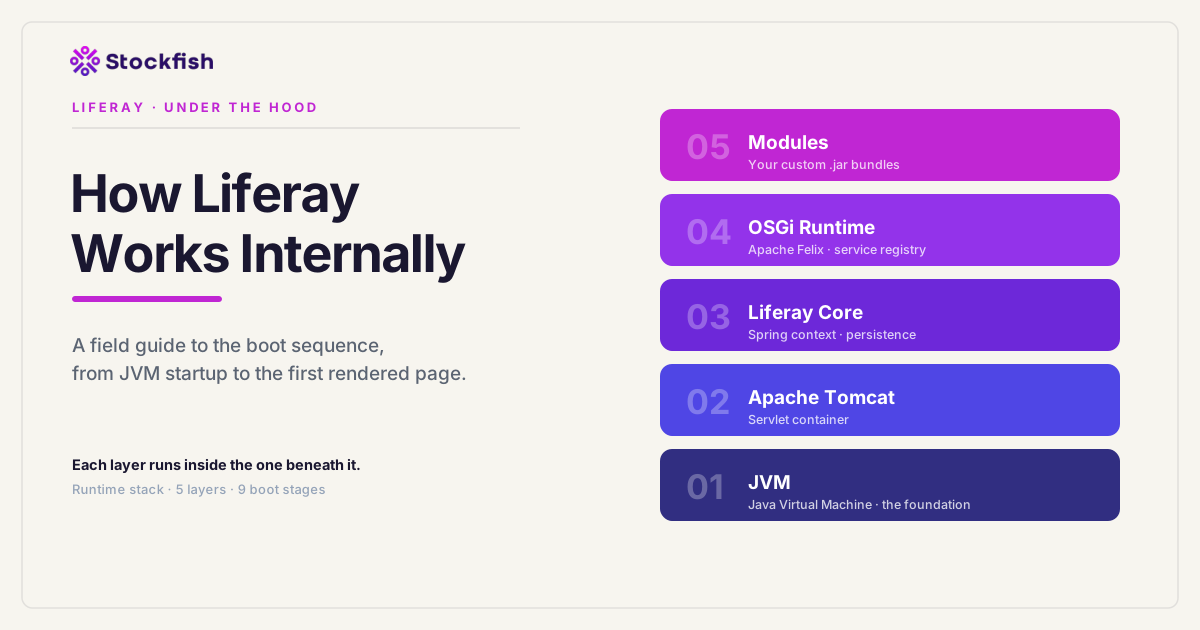
From Server Startup to First Page Loading
When developers start working with Liferay, they mostly deal with portlets, services, and UI components. But behind the scenes, Liferay has a complex and well-organized startup process before it can show even the first page.
In this blog, we will walk through that journey step by step, from the moment you start the server to the moment Liferay is ready to serve requests.
What is Liferay?
Liferay is a Java-based web application that runs inside a JVM and is typically deployed on a servlet container or application server such as Apache Tomcat. Tomcat is the default server bundled with Liferay, but the platform can also run on other supported Java application servers.
This means:
- The JVM runs Java programs.
- Tomcat (or another supported application server) runs on top of the JVM as a servlet container (web container), providing the environment required to deploy and execute Java web applications such as Liferay.
- Liferay runs as an application inside the application server.
Step 1: JVM Starts
Everything begins with the Java Virtual Machine (JVM).
When you start the server using startup.bat or startup.sh, a Java command is executed. This command launches the JVM, which prepares the environment required to run Java applications.
At this stage, the JVM initializes only the core components:
- Memory (Heap and Stack)
- Class Loader (for loading Java classes)
- System properties (such as encoding, memory limits, etc.)
It's important to understand that the JVM does not know anything about Liferay or Tomcat. It simply provides a basic runtime environment. Everything else is built on top of it.
Step 2: Tomcat Starts
Once the JVM is running, it executes the class org.apache.catalina.startup.Bootstrap. This class acts as the entry point of Tomcat.
What Bootstrap Does
The Bootstrap class prepares the environment before starting Tomcat's core engine:
- Sets up class loaders: Tomcat creates additional class loaders on top of it, so that different applications and internal components can load classes independently without conflicts. Tomcat does not override the JVM's class loaders; it extends the hierarchy by adding its own as children of the JVM's Bootstrap/System class loaders.
- Sets system properties: These properties tell Tomcat where to find configuration files, deployed applications, and temporary directories.
- Starts Catalina: Bootstrap then starts the main component of Tomcat:
org.apache.catalina.startup.Catalina.
What is Catalina?
Catalina is Tomcat's servlet container. It is responsible for managing the lifecycle of web applications, creating the internal container hierarchy (Engine, Host, Context), and processing incoming servlet requests.
Responsibilities of Catalina
- Reading Configuration: Catalina reads configuration files such as
server.xml. To convert XML into Java objects, Digester is used for it (Tomcat versions 9+ use their own internal digester implementation). This process builds the internal structure of Tomcat in memory. - Setting up the HTTP Server: Tomcat initializes one or more Connectors defined in
server.xml. Each Connector creates a Protocol Handler (such asHttp11NioProtocol) that listens for incoming HTTP requests, accepts client connections, and dispatches them to Tomcat's request-processing pipeline.- Connector: The Connector initializes a protocol handler such as
Http11NioProtocol. This handler opens a server socket on a specific port (e.g., 8080), listens for incoming HTTP requests, and processes them using a thread pool.
- Connector: The Connector initializes a protocol handler such as
- Creating Internal Components: Based on the configuration, Catalina creates key components:
- Engine:routes requests to the correct virtual host.
- Host:represents a domain (e.g., localhost, example.com).
- Context:represents a web application running within a servlet container like Tomcat.
- Deploying Web Applications: Tomcat scans its deployment directory (typically
webapps) and deploys each discovered web application by creating a dedicated application context and class loader.
Step 3: Liferay WAR is Loaded
Liferay is deployed in Tomcat as a WAR file, usually named ROOT.war.
When Tomcat scans the /webapps directory, it finds this WAR file and performs the following steps:
- Extracts the WAR file into a folder.
- Creates a dedicated WebAppClassLoader.
- Reads configuration files like
web.xml. - Initializes servlets, filters, and listeners.
WebApp ClassLoader
Tomcat creates a dedicated WebAppClassLoader for each web application. Unlike the standard Java parent-first delegation model, Tomcat often uses a child-first (webapp-first) loading strategy for application libraries. This means the web application first tries to load classes from its own WEB-INF/lib directory before delegating to parent classloaders.
This mechanism allows different applications to use different versions of the same library without conflicts, while still protecting core Java and servlet classes through parent delegation.
Step 4: Liferay Core Initialization
Once the application is deployed, Liferay begins its internal initialization. The main listener is triggered automatically during application startup via web.xml.
What Happens During Initialization?
During this phase, Liferay sets up its core platform:
- Configuration Loading
- Loads default configuration from
portal.properties. - Applies overrides from
portal-ext.properties.
- Loads default configuration from
- Logging Initialization
- Configures the logging framework.
- Sets log levels and output formats.
- Spring Framework Initialization
Liferay uses the Spring Framework extensively for its internal infrastructure. During startup, the Spring Application Context is initialized, allowing Spring-managed beans, dependency injection, transaction management, AOP proxies, and other core services to become available.
While OSGi manages the lifecycle of modules and their service interactions, Spring is responsible for managing many of the internal components and services within those modules. Together, Spring and OSGi provide Liferay's modular and extensible architecture.
- Database Setup
- Initializes the configured DataSource and connection pool.
- Verifies database connectivity.
- Initializes the persistence infrastructure used by Liferay's Service Builder.
- Core Services Initialization: During startup, Liferay initializes its core infrastructure, including:
- Database Layer:handles persistence.
- User & Permission Services:authentication and authorization.
- Portal Infrastructure:companies, sites, pages.
- Configuration System:centralized configuration management.
- Threading & Scheduling:background jobs and async processing.
- Class Loader & Registry Setup:prepares integration with OSGi.
Step 5: OSGi Framework Starts
At this stage, Liferay transitions from a static system to a dynamic modular platform.
What is OSGi?
OSGi is a set of Java specifications that define a dynamic module system. It allows applications to be composed of reusable components called bundles, which can be installed, updated, and removed, all without restarting the JVM.
Why Liferay Uses OSGi
Liferay adopts OSGi to achieve:
- Modular architecture
- Independent deployment of features
- Runtime flexibility
That's why custom modules are deployed as .jar files instead of WAR files.
OSGi Implementation: Apache Felix
Liferay uses Apache Felix as its OSGi bundle framework implementation. Apache Felix follows OSGi specifications such as:
- Bundle lifecycle management
- Service registry
- Dynamic module loading
- Versioned dependency resolution
What Happens When OSGi Starts?
When Liferay initializes OSGi:
- The Felix framework is started.
- Internal runtime structures are created in JVM memory (heap).
What exists in memory:
- Bundle objects
- Service registry
- Dependency graph
- Classloaders (one per bundle)
Together, these components form the OSGi runtime: an in-memory modular framework inside the JVM that manages bundles, services, dependency resolution, and class loading.
Core Components of Apache Felix
Felix internally provides several key subsystems:
- Bundle Manager
- Installs bundles (JAR files).
- Manages lifecycle (Install → Resolve → Active).
- Handles start/stop/update.
- Resolver
- Matches dependencies between bundles.
- Ensures the correct loading order.
- Service Registry
- Central place where services are registered.
- Enables communication between modules.
- Class Loader System
- Each bundle has its own class loader while still being able to import packages exported by other bundles through OSGi. This provides modular isolation while allowing controlled sharing of classes between bundles.
- Prevents class conflicts.
Framework Core
Main class: org.apache.felix.framework.Felix
This class initializes and coordinates the entire OSGi runtime. The OSGi runtime is an in-memory modular container inside the JVM.
What is a Bundle Framework?
The term "framework" is used because Felix provides:
- Lifecycle management
- Dependency resolution
- Service communication
- Dynamic loading/unloading
It behaves like a mini operating system for modules.
Service Registry (Key Concept)
The service registry is one of the most important parts of OSGi. It acts like a central directory where services are registered, and other modules can discover and use them.
Step 6: Bundles (Modules) Are Loaded
In OSGi, every module is called a bundle.
What is a Bundle?
A bundle is a JAR file with additional metadata defined in META-INF/MANIFEST.MF. This metadata specifies:
- What the bundle provides.
- What dependencies it requires.
Bundle Lifecycle
Bundles go through the following lifecycle:
Installed → Resolved → Starting → Active → Stopping → Uninstalled
- Installed:added to the system.
- Resolved:dependencies satisfied.
- Starting:bundle is starting.
- Active:running and usable.
- Stopping:bundle is shutting down.
- Uninstalled:bundle removed.
Bundle Loading in Liferay
During startup, Liferay activates bundles based on their dependencies rather than a fixed sequence. Core platform bundles are started first, followed by additional modules whose required dependencies have been resolved. OSGi automatically determines the correct activation order.
Key Insight
Before OSGi:
- The system is static.
- Components are fixed.
After OSGi:
- Modules become dynamic.
- Services can appear/disappear at runtime.
- The system becomes highly flexible.
Step 7: Service Registry Becomes Active
As OSGi bundles start, they begin registering services into a central system called the service registry.
This registry acts as a directory of available services, allowing different modules to discover and communicate with each other.
Registering a Service
For example:
@Component(service = UserLocalService.class)This instructs the OSGi Declarative Services runtime to register the component as an implementation of the specified service interface once the bundle becomes active.
UserLocalService → UserLocalServiceImpl instance
Consuming a Service
Other modules can use this service using:
@Reference
private UserLocalService userLocalService;
At runtime, the OSGi Declarative Services runtime automatically locates and injects a matching service implementation.
Key Insight
@Component and @Reference do not perform any action by themselves. These annotations come from the OSGi Declarative Services (DS) spec, and SCR (Service Component Runtime) is the component that reads the XML descriptor generated at build time (by bnd) from these annotations.
Step 8: Web Layer Becomes Active
Once the core platform and required bundles are active, Liferay initializes the web layer, making portlets, themes, and web resources available for incoming requests.
This includes:
- Portlets
- JSP pages
- Themes
Liferay uses the Portlet standard to render UI components. Modern Liferay also heavily uses JavaScript frameworks (Clay/React-based components) and supports modern frontend approaches.
What Happens Here?
- Portlet registrations
- URL mappings
- Theme resources become available so incoming requests can be processed and rendered.
At this point, Liferay is fully ready to handle user requests.
Step 9: Custom Modules Run
Custom modules become active automatically once all of their required dependencies have been resolved by the OSGi framework.
Deployment Flow
.jarfiles are placed in:${LIFERAY_HOME}/osgi/modules-
The OSGi framework automatically:
- Detects the new bundle.
- Installs it.
- Resolves its package and service dependencies.
- Starts it when all required dependencies are available.
Result
Once the bundle becomes ACTIVE, your code starts running immediately without restarting the server.
Conclusion
Liferay is not just a simple web application. It is a layered system where every component has a job to do.
- JVM provides a runtime environment.
- Tomcat handles web requests.
- Liferay Core initializes the portal infrastructure, Spring context, persistence layer, and essential platform services.
- OSGi enables modularity.
- Modules provide the actual functionality.